Original worksheet and illustrative USD arithmetic, October 2026; FTC and California CSLB guidance
Original proposed scope, price and schedule record. Not a complete legal contract, observed fence quote or nationwide approval rule.
Sources and scope checked .
A useful fence change order records what changes, what it costs, what it does to the schedule and whether it has been approved. "Add a gate" is not enough: the opening, hardware, work removed, added work and revised drawing or product all need a clear written reference.
The printable sheet and CSV below are original proposed project records, not complete legal contracts. Blank approval means pending. Follow the actual contract and the requirements of the applicable jurisdiction; do not treat a filled-in worksheet as permission to proceed.
Record the proposed change
California CSLB guidance says a changed home-improvement contract price or scope needs a written change order signed by the customer and contractor before the change. California CSLB: home-improvement contracts.
That is a California-specific example. It is not a declaration that one signature format or this template satisfies every state's contract law. The actual scope, notice and approval process must be confirmed for the project.
| Record | Useful detail for a fence project |
|---|---|
| Project and version | Original contract/quote number; change number, revision and proposed date |
| Reason and evidence | Requested design change, discovered condition or product issue; relevant photo/drawing |
| Original scope | Precisely which accepted line item, run, gate or detail is being changed |
| Proposed scope | New dimensions/product/layout, drawing revision and responsible party |
| Removed work | Exact item and credit, not a silent reduction in the original scope |
| Added work | Quantity, unit, agreed price basis and amount for each addition |
| Other adjustments | Tax, freight, permits or other charges confirmed separately |
| Schedule | Revised dates, access requirements, dependencies and unresolved effects |
| Approval | Names, date, version accepted and status; pending is not approved |
These are original record fields. Keep product substitutions explicit and attach the exact supplier RFQ response when material or lead-time information changes. A changed product may also have different installation or warranty requirements.
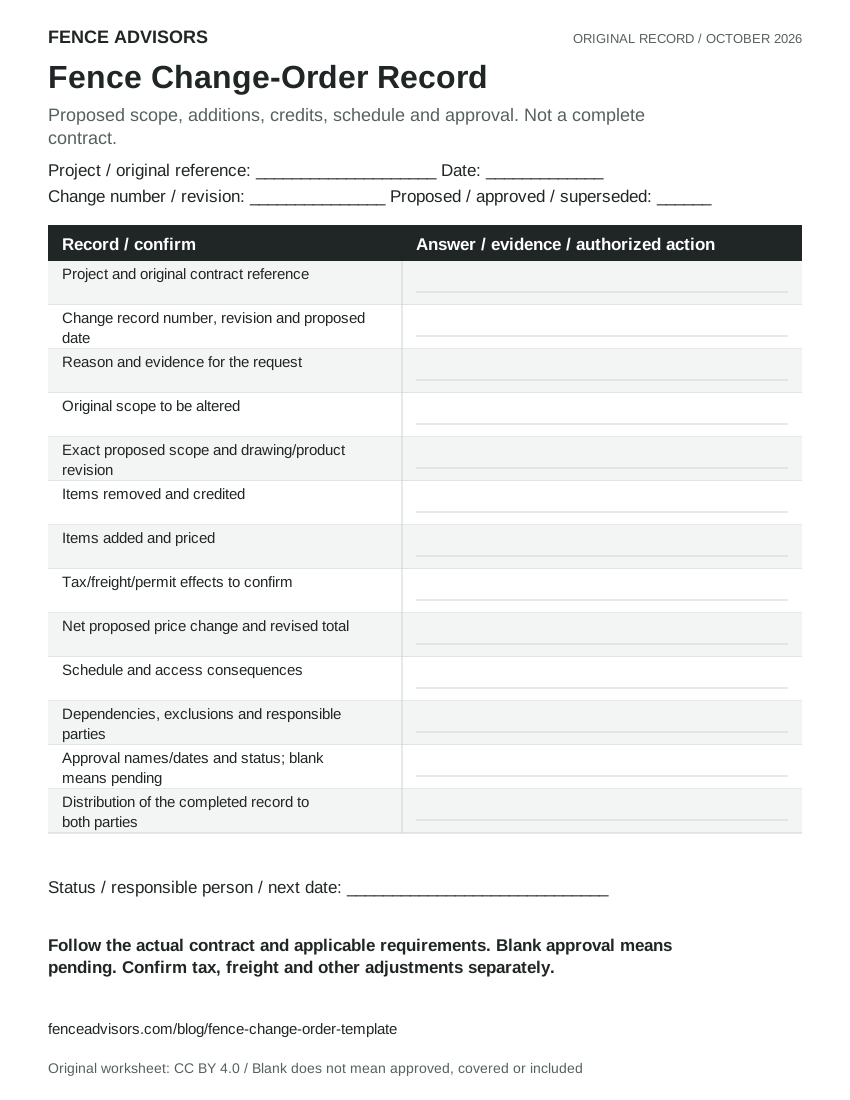
Download or embed this graphic
<figure>
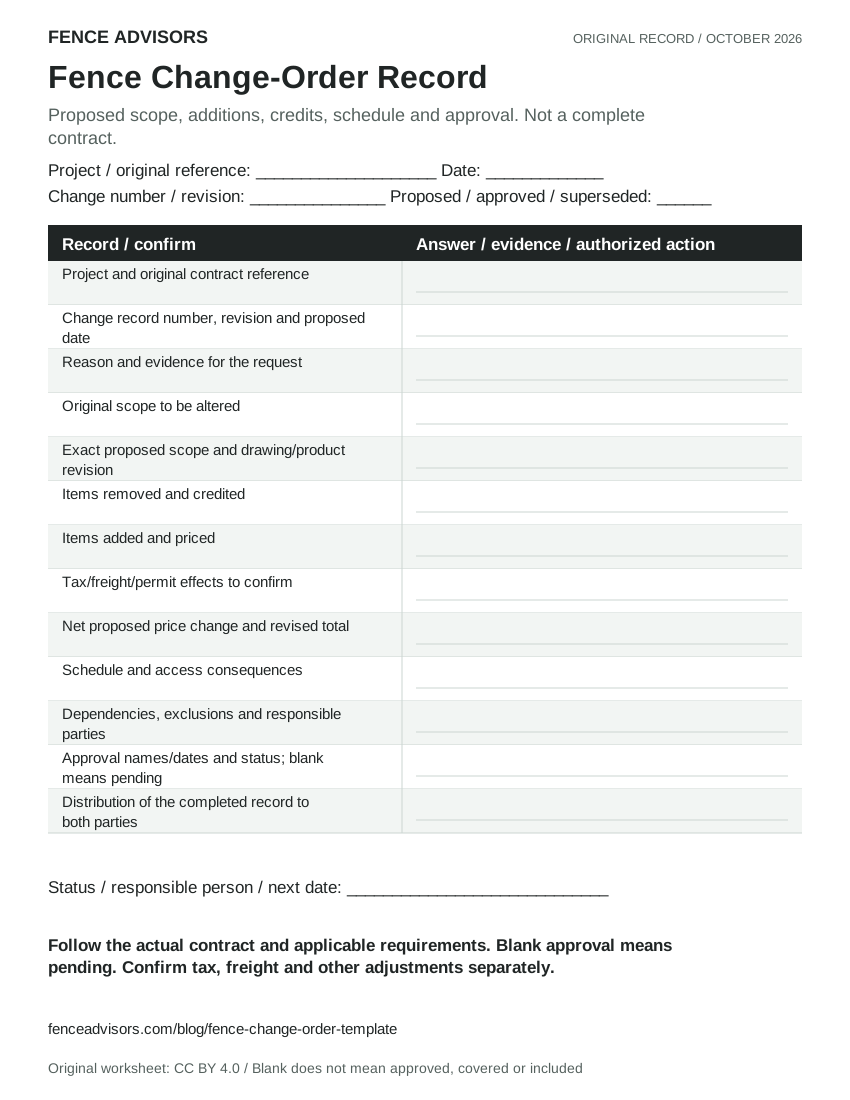
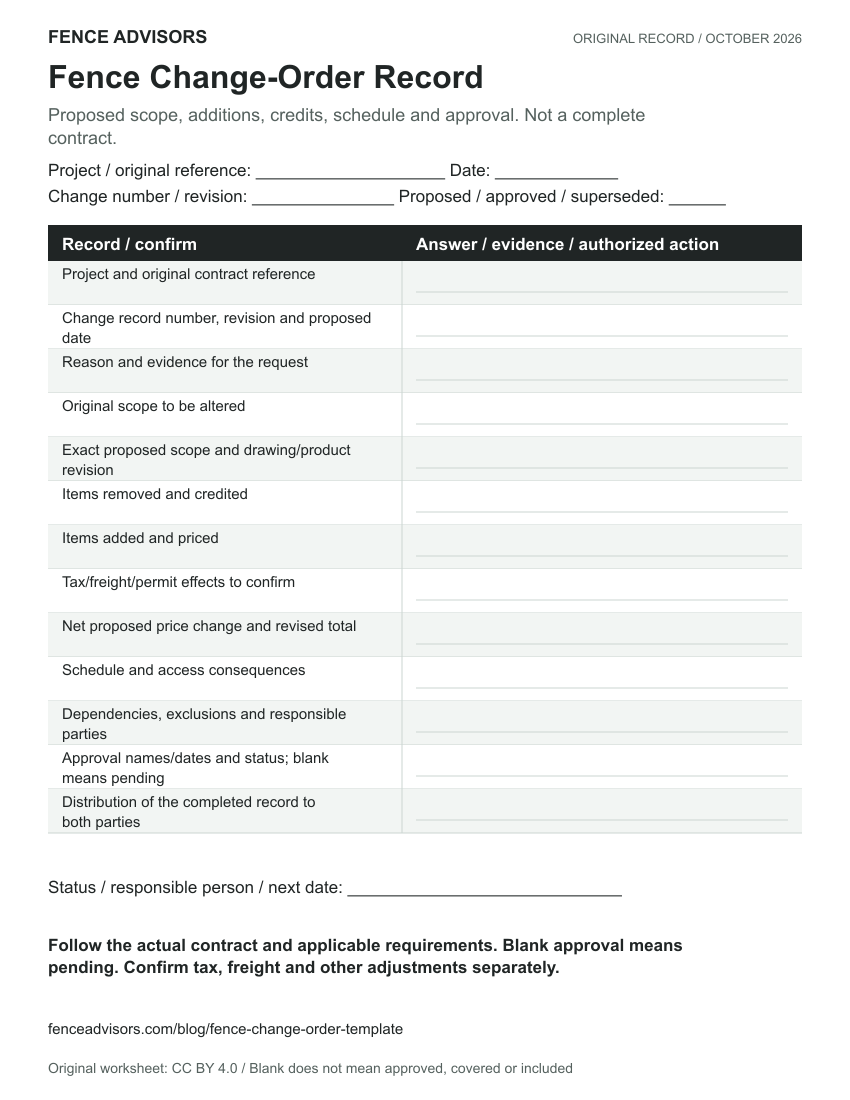
  <a href="https://fenceadvisors.com/blog/fence-change-order-template"><img src="https://fenceadvisors.com/media/research/fence-change-order-record.svg" alt="Printable proposed change record with original scope, additions and credits, net change, revised price, schedule consequences, exclusions and approval names/dates. Blank approval means pending; not a compliant contract." width="850" height="1100" loading="lazy" style="max-width:100%;height:auto"></a>
  <figcaption>Graphic: <a href="https://fenceadvisors.com/blog/fence-change-order-template">Fence Advisors</a>. Source, period and limitations are in the linked article. Original graphic: CC BY 4.0.</figcaption>
</figure>
Price change example
In our illustrative change-order example, a $10,000 original total plus $400 of additions minus $150 of credits gives a $250 net increase and a $10,250 revised total before other adjustments.
| Illustrative USD entry | Amount | Interpretation |
|---|---|---|
| Original total | $10,000 | Chosen starting scenario |
| Additions | +$400 | Chosen added-work scenario |
| Credits | -$150 | Chosen removed-work scenario |
| Net proposed change | +$250 | $400 minus $150 |
| Revised total before other adjustments | $10,250 | $10,000 plus $250 |
Formula: net change = additions minus credits. Revised total = original total plus net change plus separately confirmed other adjustments. This is original arithmetic, not a collected fence quote, normal gate price or industry margin benchmark.
Use one consistent currency and price basis. If the original total already includes a charge, do not add it again. Keep uncertain taxes, delivery or permit effects visible rather than silently labeling the proposed total final. Record a reduction as a credit so its effect is understandable. Do not confuse the revised contract total with the balance currently due; payments already made require a separate record.
The job-cost worksheet answers a different question: how the change affects estimated and actual costs. A $250 contract increase is not automatically $250 of profit.
Schedule and exclusions belong in the same record
An original example: replacing the selected latch with a different model can affect product lead time, gate preparation, finish compatibility and the installation sequence. Record the actual supplier response and revised detail; do not promise a delivery date that was never confirmed.
State what remains unchanged as well as what changes. If survey, utility coordination, permit revision, removal, disposal, landscape repair or electrical work is outside the proposal, keep that exclusion explicit. Avoid inserting a blanket exclusion that contradicts the accepted original contract.
Approval and audit trail
FTC consumer guidance recommends written estimates that identify the work, materials, completion date and price, and notes that contract requirements vary by state. FTC: avoiding home-improvement scams.
Keep the original contract, each numbered proposed change, attachments and the final accepted version together. Record the approval process required by the actual contract and applicable rules, give both parties the completed record, and preserve rejected/superseded versions so an old proposal is not mistaken for the accepted scope.
- Describe the proposed change and unresolved questions.
- Reconcile additions, credits, other adjustments and revised total.
- Confirm scope, schedule, dependencies and exclusions.
- Obtain the approval required for the actual project; a blank field remains pending.
- Distribute the accepted version and update the job/order records.
The steps are an original workflow, not a nationwide legal procedure, electronic-signature rule or approval by Fence Advisors. For a new project, the buyer quote checklist helps establish comparable initial scope. Find local fence contractors who can explain their written change process before work begins.
Methodology and reuse
Fence Advisors created the worksheet, line-item CSV and chosen USD example in October 2026. FTC guidance supplies general written-estimate context; CSLB supplies a clearly labeled California example. Neither agency approved this template. Cite the scenario as illustrative, retain its excluded adjustments, and do not describe blank templates as observed contract data.
Frequently Asked Questions
Is this a legally compliant change-order contract?
No such approval is claimed. It is an original record to organize the proposal. Use the actual contract and applicable requirements for required terms, notices and approval.
Should removed fence work appear as a credit?
The record should show the agreed removed work and its credit explicitly so additions and reductions reconcile. The credit amount must be agreed for the actual project, not inferred from our example.
Does a blank approval field let work begin?
No. In this worksheet, blank means pending. Follow the required approval process before treating the proposal as accepted.
Sources and Downloads
- Blank proposed change and approval recordCSV
- Blank additions, credits and price reconciliationCSV
- Citable findings, source URLs and boundariesCSV
- Sourcebook, document dates and methodologyJSON
Original Fence Advisors graphics, data compilations and worksheet are available under CC BY 4.0. Retain source, period and scope when reusing data. This license does not relicense third-party documents or trademarks.
Corrections: editorial@fenceadvisors.com.
Related Research
Put your research to work
Estimate your budget, then compare fence companies in your area.
Get the next guide in your inbox
Fence costs, rankings, and what AI is telling homeowners — researched, no fluff.